


















Configuration Reference
Settings
| Search Method | Select | Find by name + company (default), or by LinkedIn Profile URL |
| Use Full Name | Checkbox | Use a single Full Name input instead of First Name and Last Name |
| Custom Waterfall | Checkbox | Use your own API keys and customize the provider sequence |
| Waterfall Sequence | Checkbox | Define the order of providers and configure API keys for each one |
Inputs
| First Name | Text | First input property for the name + company search method |
| Last Name | Text | Second input property for the name + company search method |
| Company Name or Domain | Text | Third input property for the name + company search method |
| LinkedIn Profile URL | Text | Single input property used only with the LinkedIn search method |
Outputs
| Text | The verified email address found | |
| Email Status | Text | Deliverability status: verified, unverified, or not found |
| MX Provider | Text | The contact's email provider, e.g. Google or Microsoft |
Step-by-Step Guide
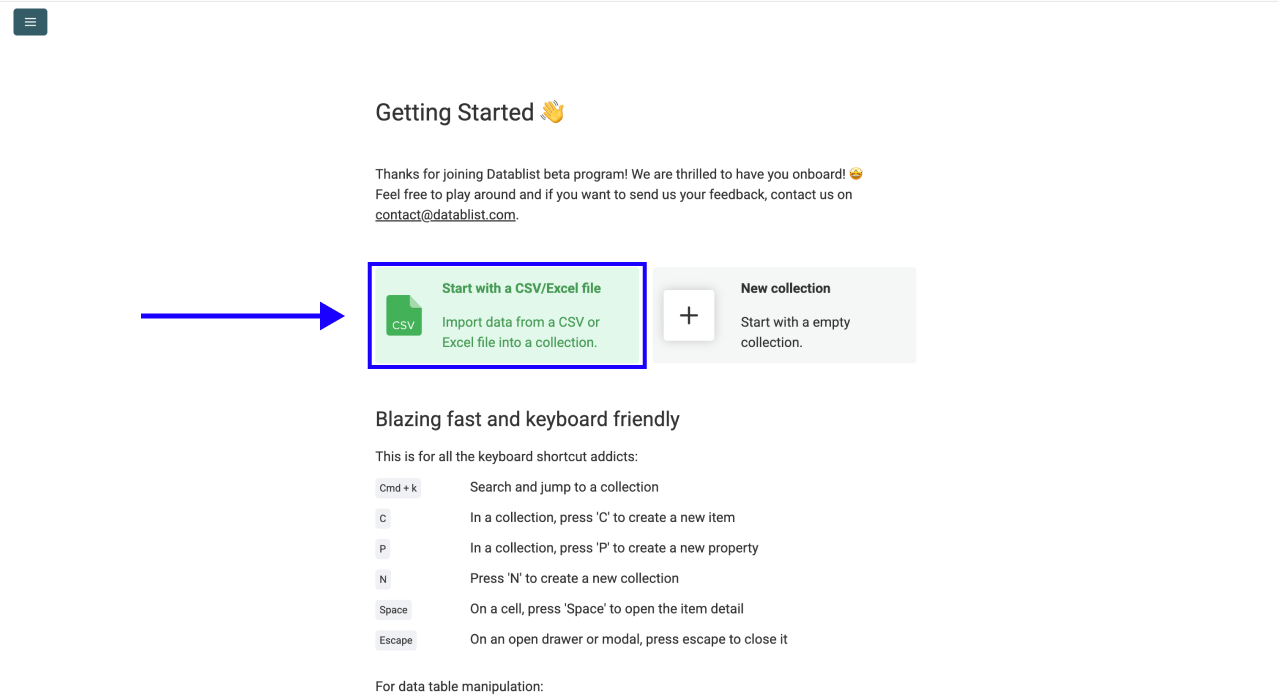
Step 1: Sign Up & Upload Your Data
First, sign up for Datablist.com
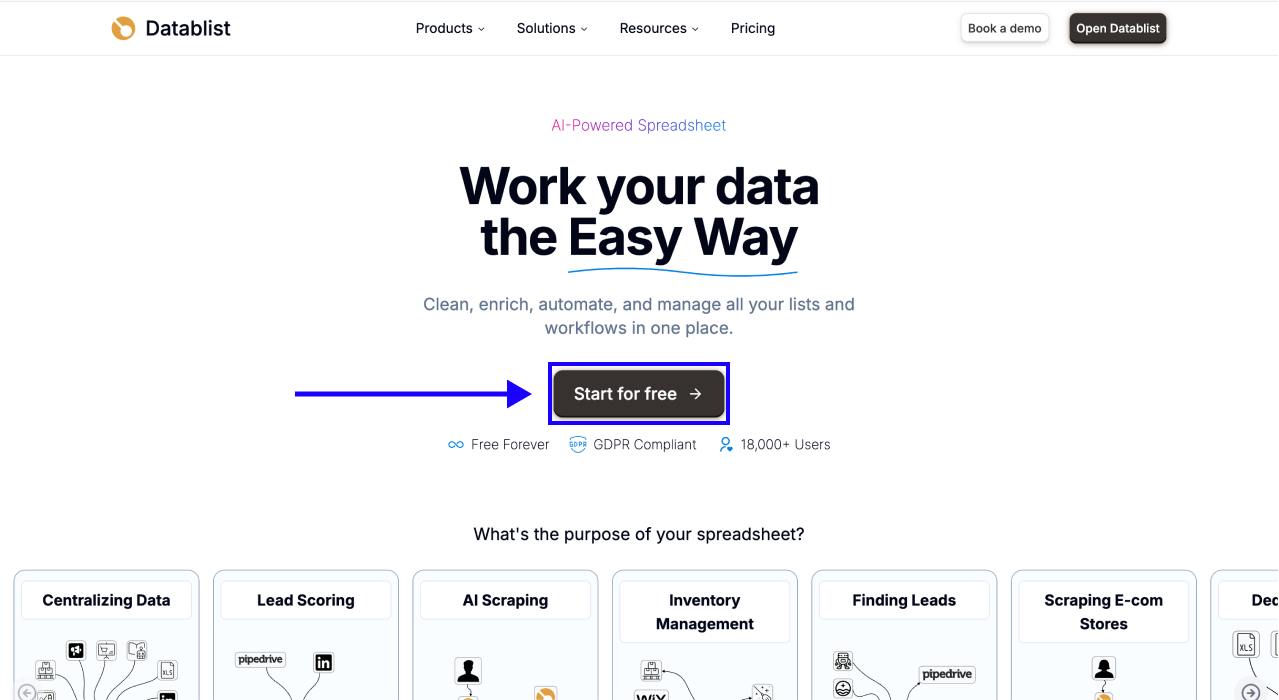
Then, upload your CSV or Excel file containing your list of contacts. You need at minimum: First Name, Last Name, and Company Name or Domain, or LinkedIn Profile URLs if you have them.
Step 2: Navigate to the Enrichment
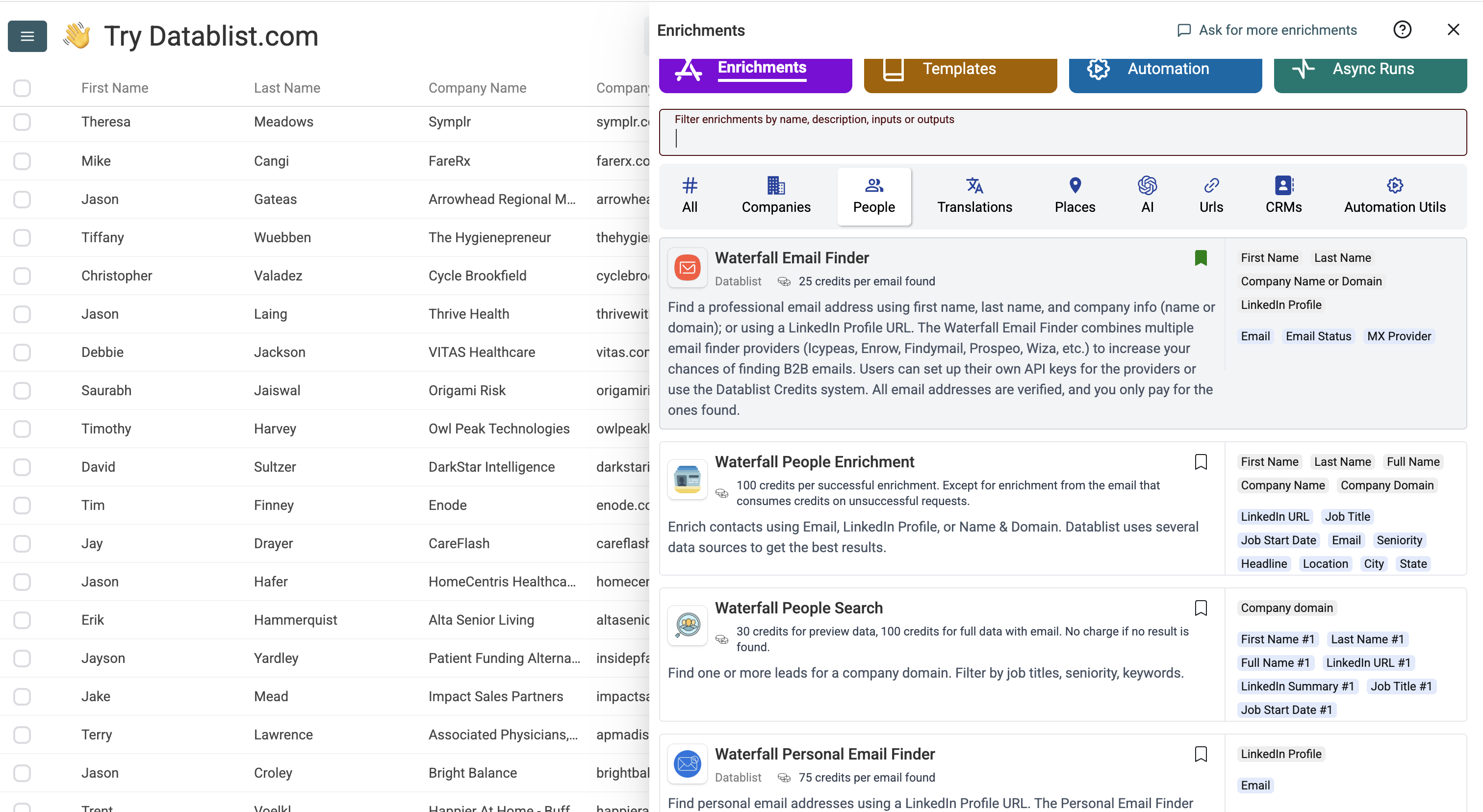
1. Click on Enrich in the top menu
2. Go to People section
3. Select the Waterfall Email Finder
Step 3: Set Up the Enrichment
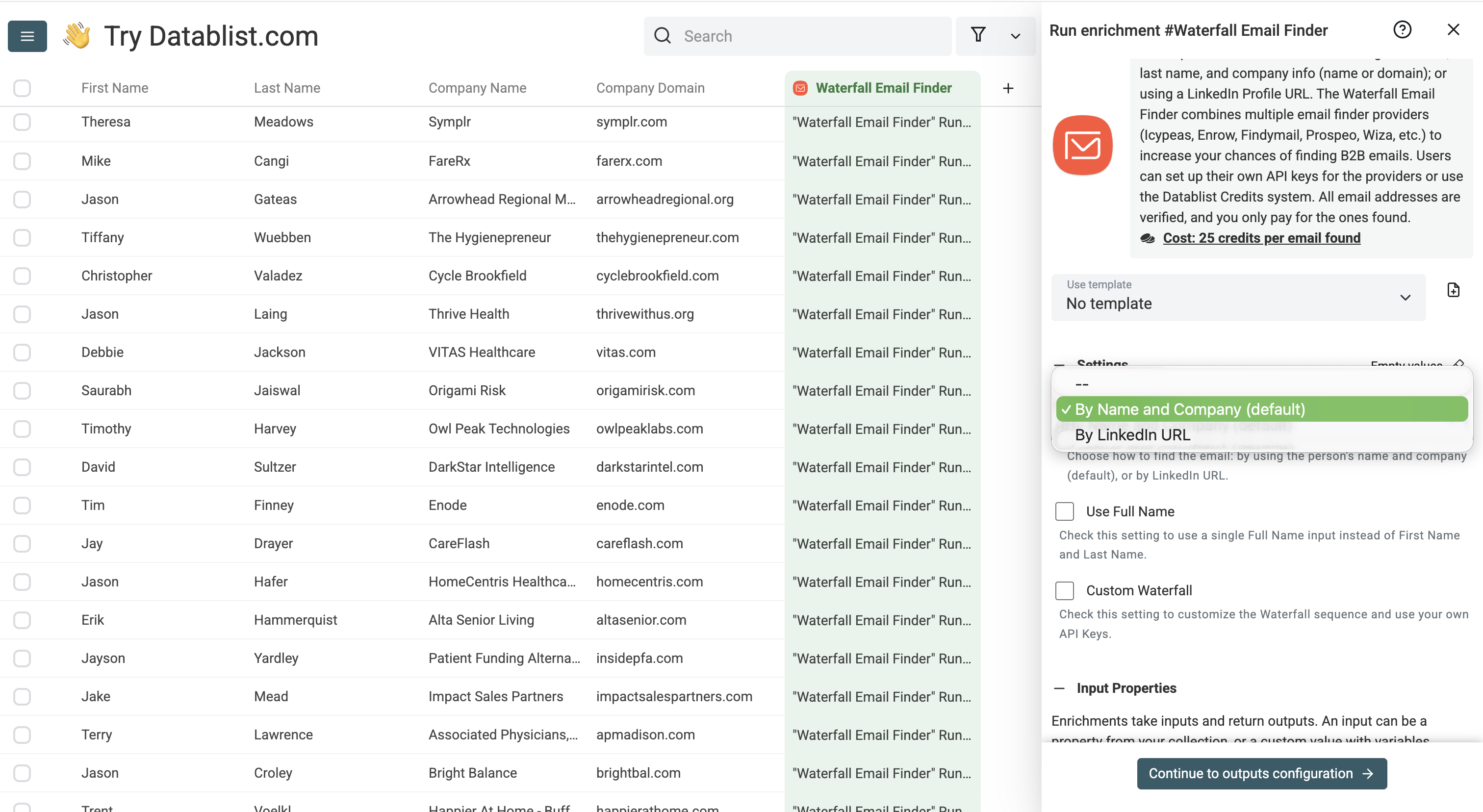
When you open the click on the Waterfall Email Finder, you'll see the following settings:
• Email Search Method: Choose between name + company (default) or LinkedIn Profile URL
• Use Full Name: Enable if you only have a combined full name instead of separate first and last name fields
• Custom Waterfall: Enable to use your own API keys and customize the provider sequence
Once you're done with the settings, scroll down to configure your inputs.
Step 4: Configure Your Inputs
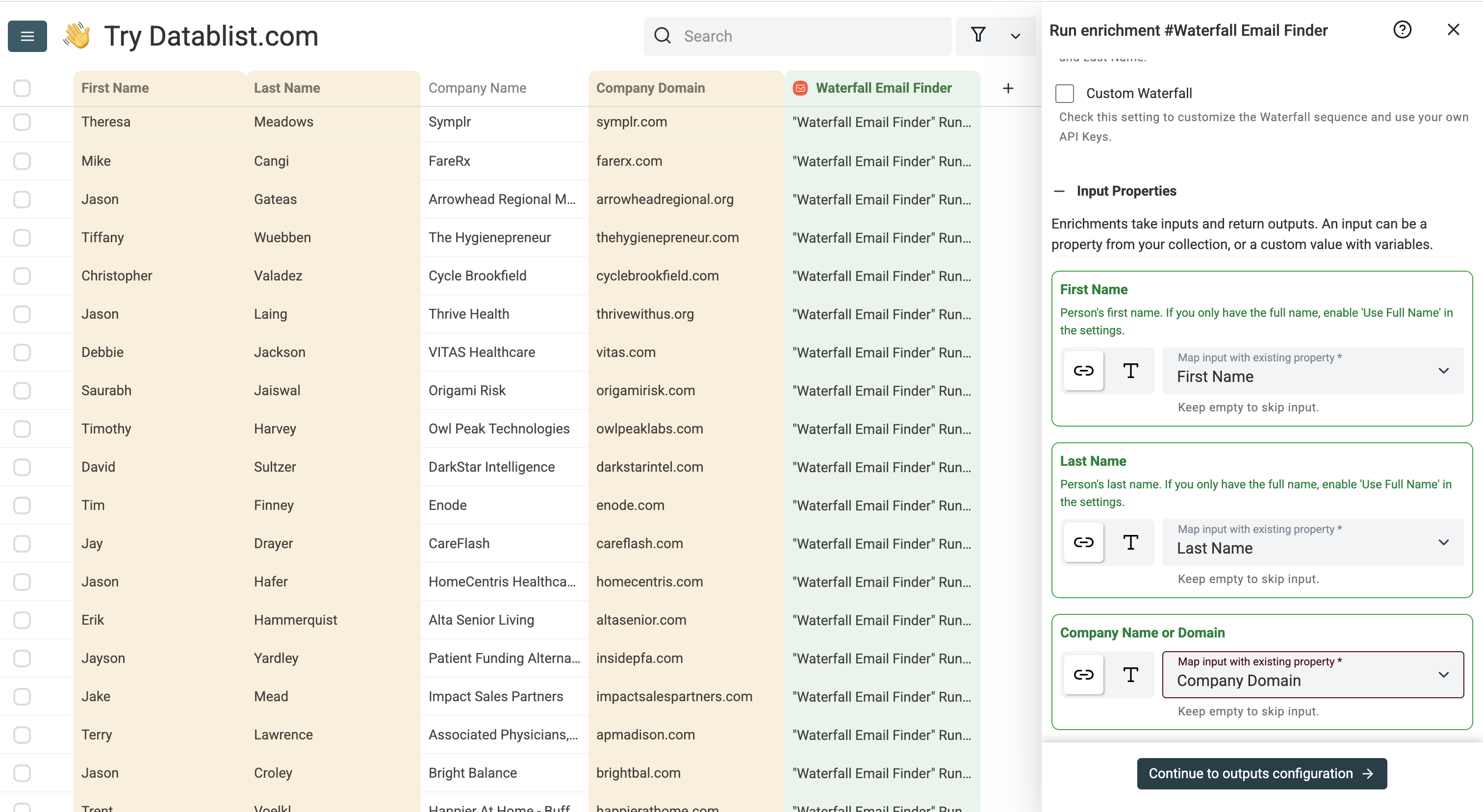
Map the following columns from your collection:
1. First Name as the first input property
2. Last Name as the second input property
3. Company Name or Domain as the third input property
Or, if using the LinkedIn URL method: LinkedIn Profile URL as the input property.
Then click Continue to outputs configuration
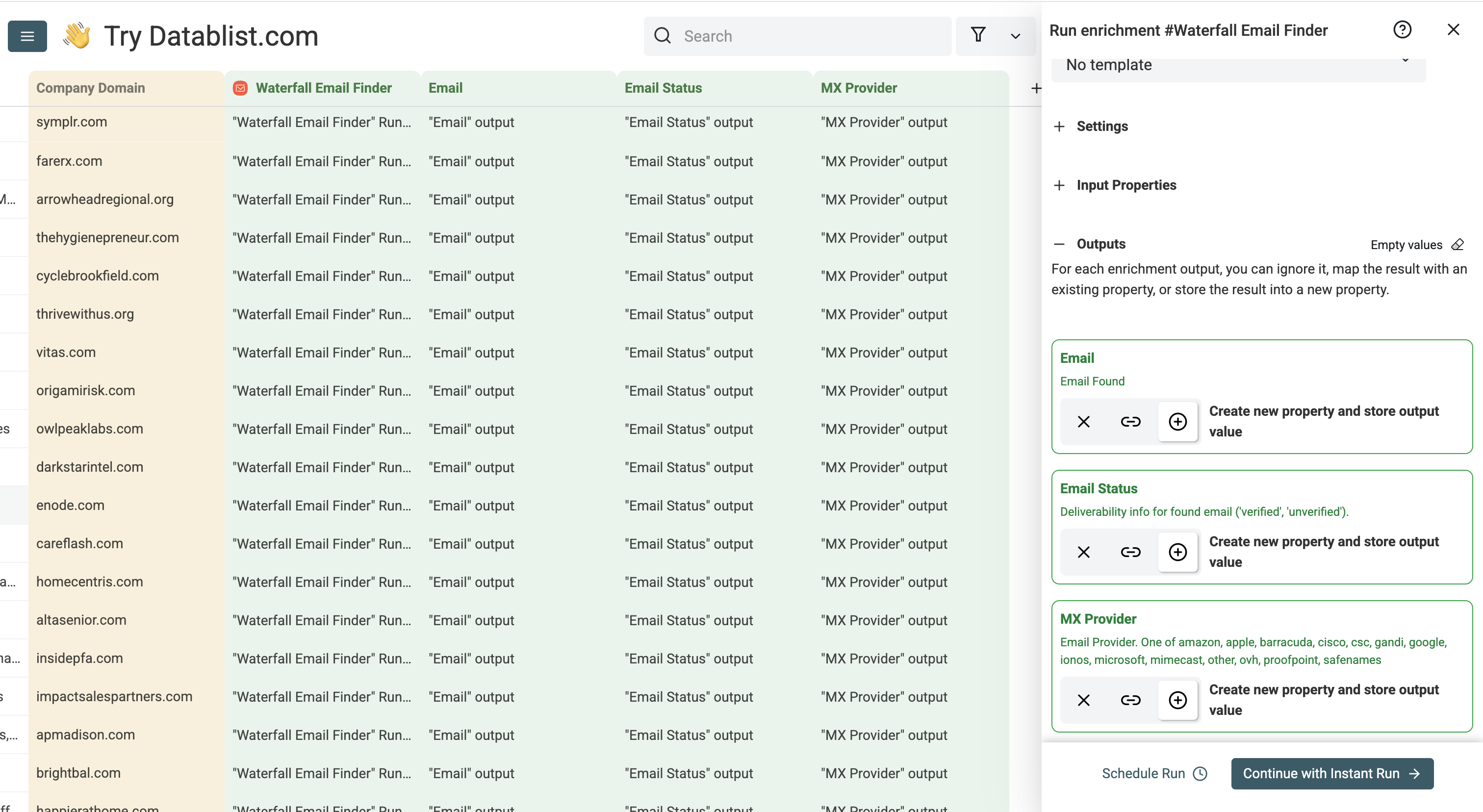
Step 5: Select Outputs
The Waterfall Email Finder returns three data points:
• Email: The verified email address found
• Email Status: Deliverability status: verified, unverified, or not_found
• MX Provider: The email provider (e.g. google, microsoft)
Click the ⊕ Icons to add them to your collection, then click Instant Run
Step 6: Run the Enrichment
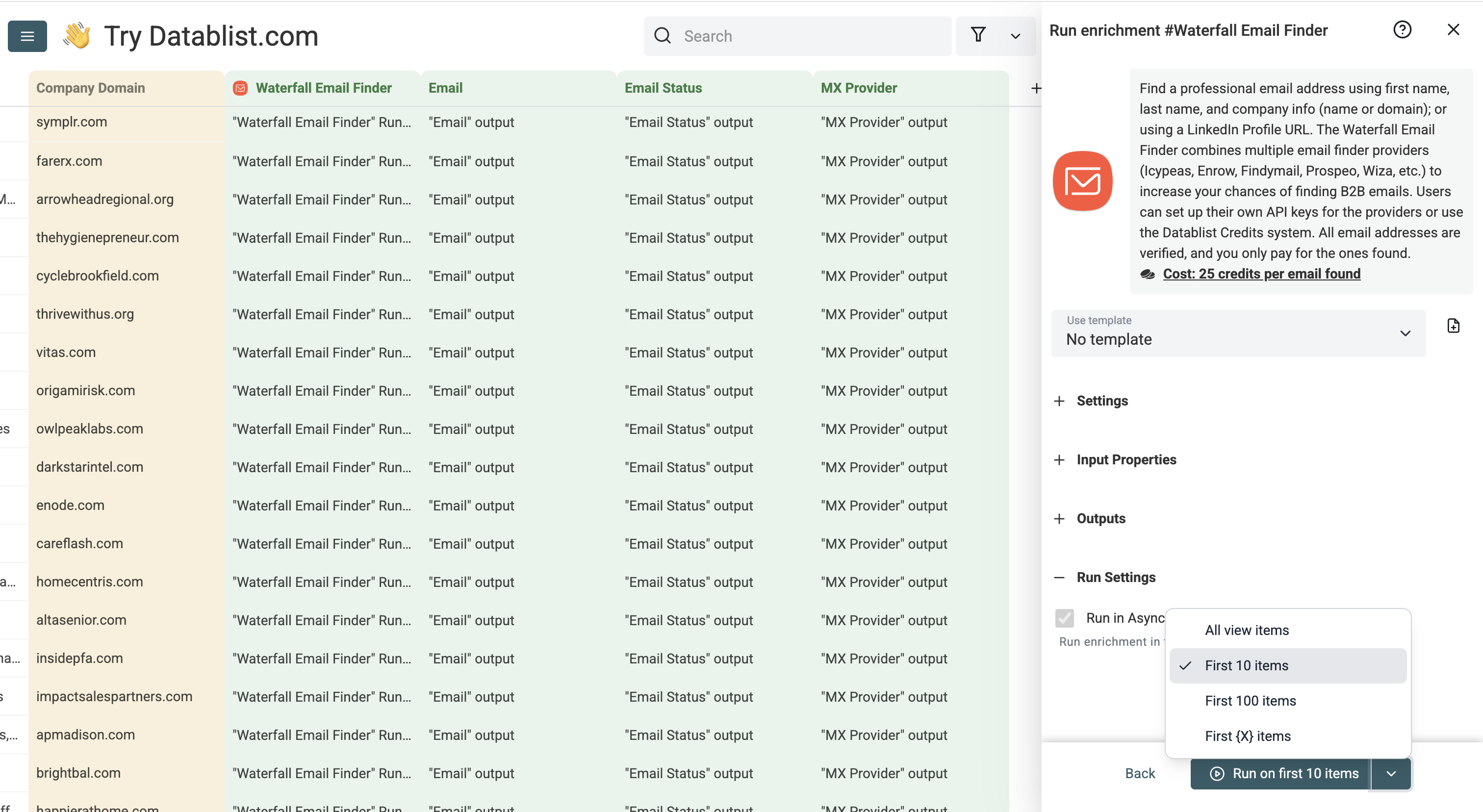
Configure your run settings by clicking the chevron on the right side of the button:
• Run on first 10 items: Good for checking results before committing
• Run on first 100 items: Useful to validate larger samples
• Run on first {X} items: Choose exactly how many to process
• Run on all view items: Process your entire list
Once you've chosen your preferred option, click Run on X items:
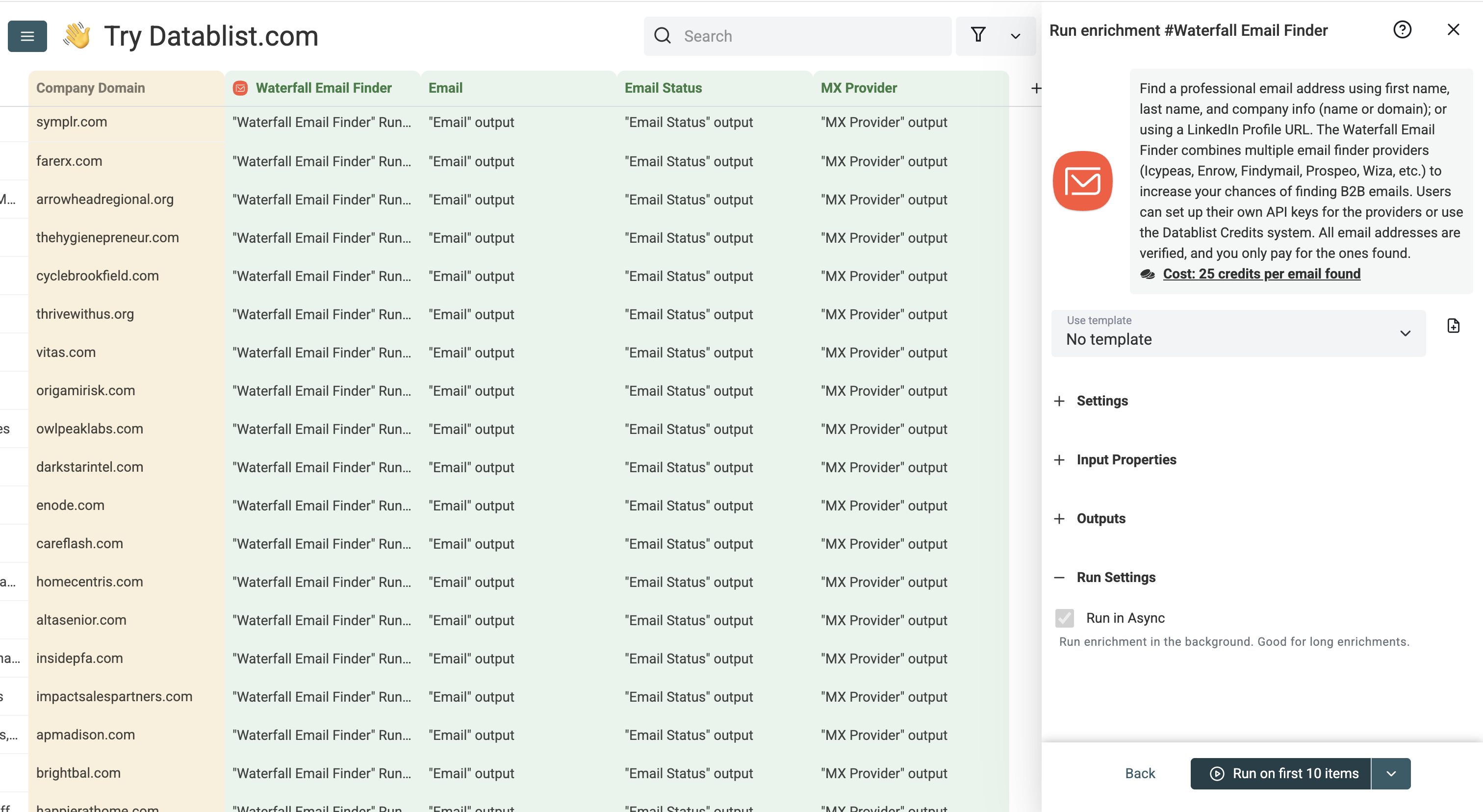
Within minutes, verified email addresses will be populated in your collection. You only pay for emails that are successfully found.
Stop Doing Manually
What Datablist Can Do in Seconds
Give Datablist a try and see how easy workflow automation can be.
38,000+ users are already experiencing it!
